How to Apply Parwaaz Card as OEP (Overseas Employment Promoter) Online [2026]
Are you an Overseas Employment Promoter (OEP) interested in getting affiliated with the CM Punjab’s Parwaaz Card Program? As we know, this initiative will help youth to access foreign employment opportunities and cover pre-departure expenses. Similarly, this program also offers OEPs to be registered with it and helps skilled youth in acquiring foreign employment opportunities. If you want to apply Parwaaz Card for an Interest-free loan, please check our comprehensive guide on “How to Apply Parwaaz Card as OEP.”
Please Ensure the Following Required Documents to Apply Parwaaz Card As OEP (Overseas Employment Promoter)
How to Apply Parwaaz Card as OEP (Overseas Employment Promoter) – Complete Online Registration & Application
If you are interested in applying for the CM Punjab Parwaaz Card as OEP (Overseas Employment Promoter), please follow the step-by-step process below:
Step 01: Account/Portal Registration
- Click on the “Apply” button provided above or click the button below.
- Click on the “Proceed as OEP” button.
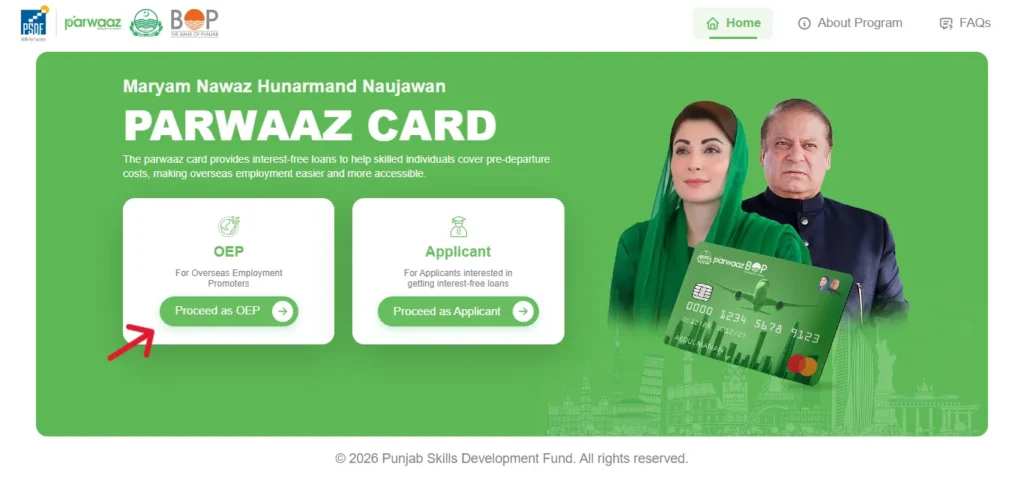
- Click on the “OEP Registration” button at the bottom.
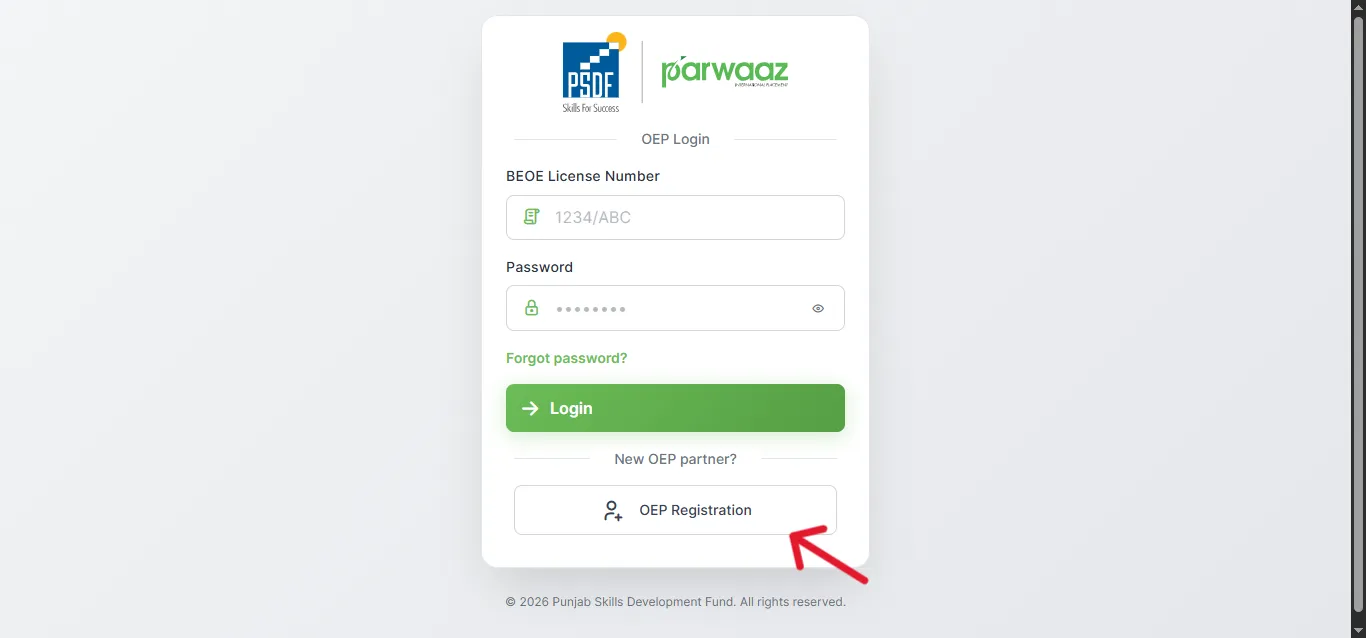
- Enter the BEOE License title and BEOE license number.
- Enter the phone number, email address, and a strong password.
- Click on the “Register OEP” button at the bottom.
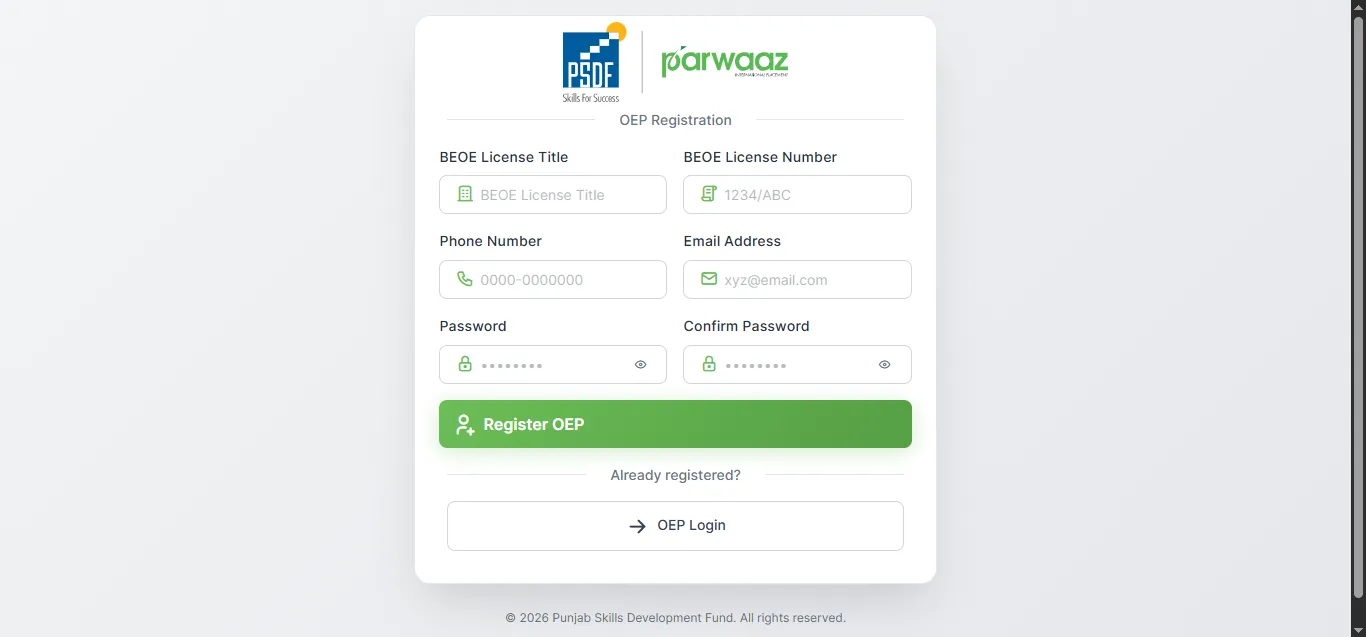
- You will receive an OTP on the mobile number and email you provided. Verify your account using that OTP and register yourself successfully.
Step 02: Login
- After successful registration, revisit the website or click the “Apply” button given above.
- Log in to your account/portal using your email or phone number and password.
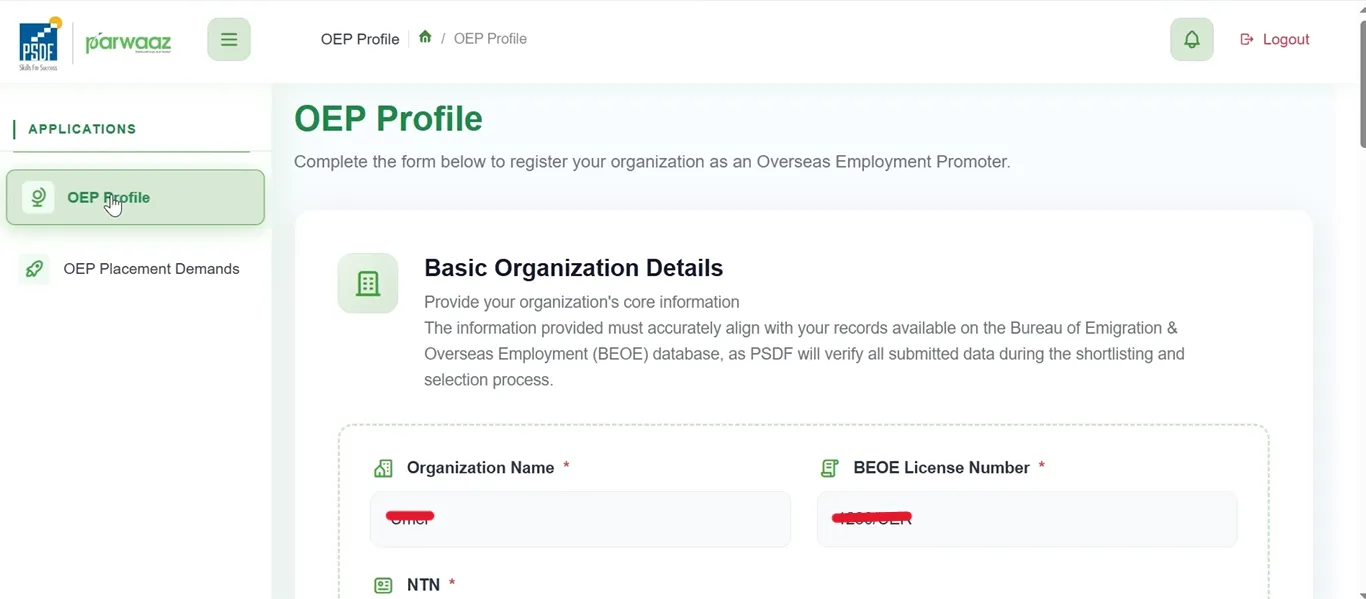
Step 03: Organization Details
- After logging in, the first step in the application is to provide the basic organization details.
- Provide Organization Name, BEOE License Number, and NTN Number.
- Please note that the provided information must be accurate and align with the records available in the Bureau of Emigration and Overseas Employment (BEOE) database.
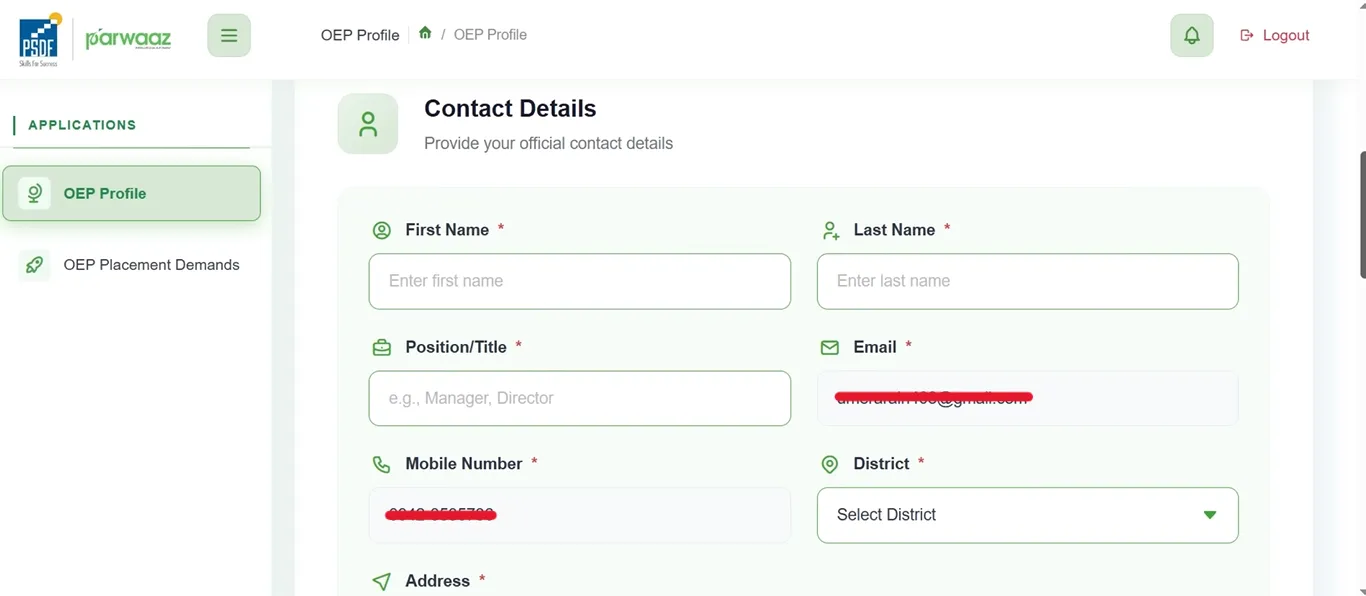
Step 04: Contact Details
- Provide your official contact details. Provide first name, last name, position/title, email address, mobile number, district, and physical address.
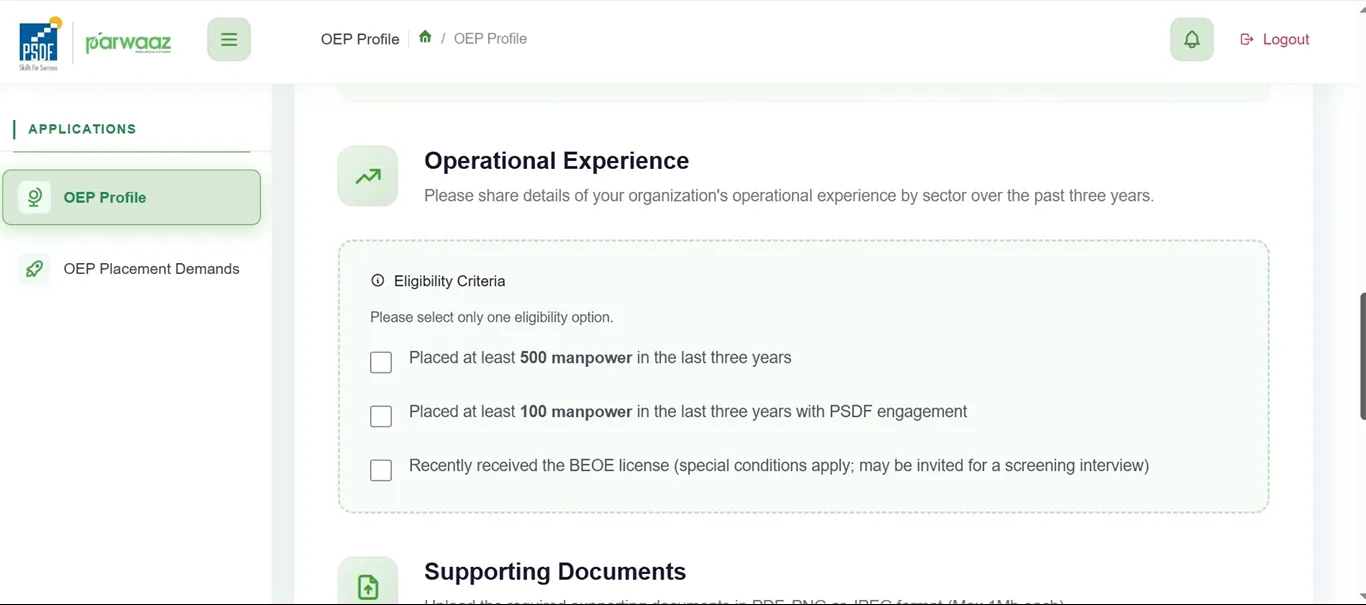
Step 05: Operational Experience
- In this section, share the details of the organization’s operational experience over the last three years. You will select one eligibility option from the given options.
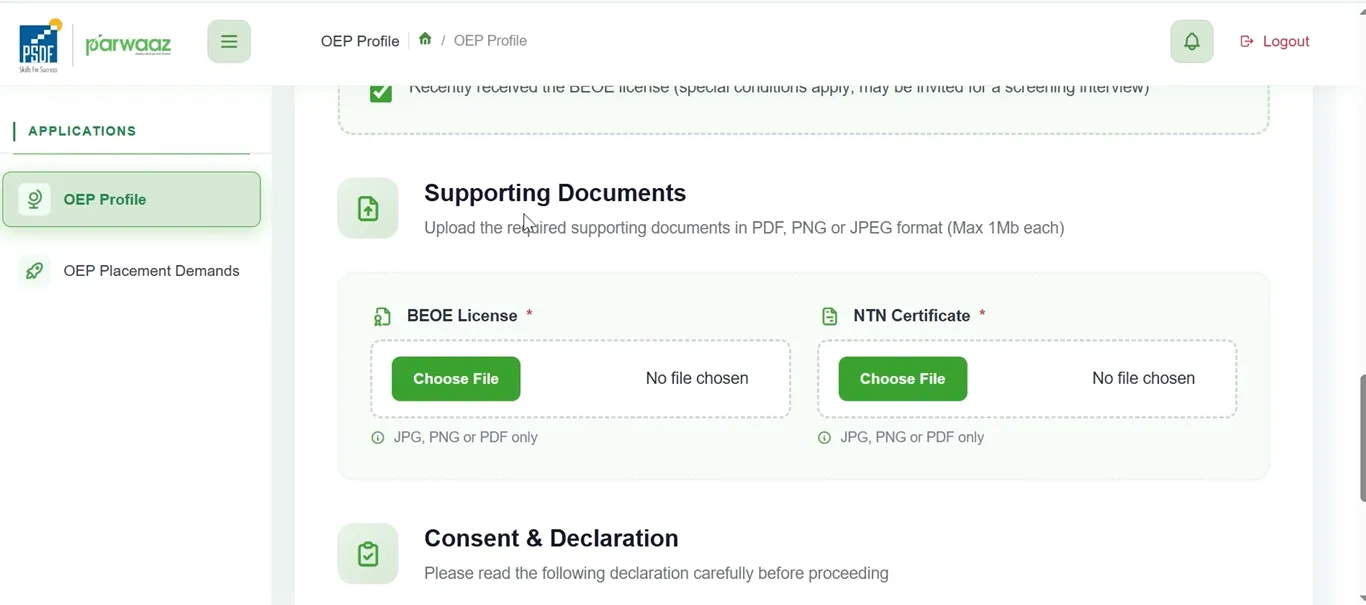
Step 06: Supporting Documents
- In this section, you will upload the required supporting documents. These include the BEOE License and the NTN Certificate.
- The supported document formats are PDF, JPG, and PNG with a maximum size of 1 MB each.
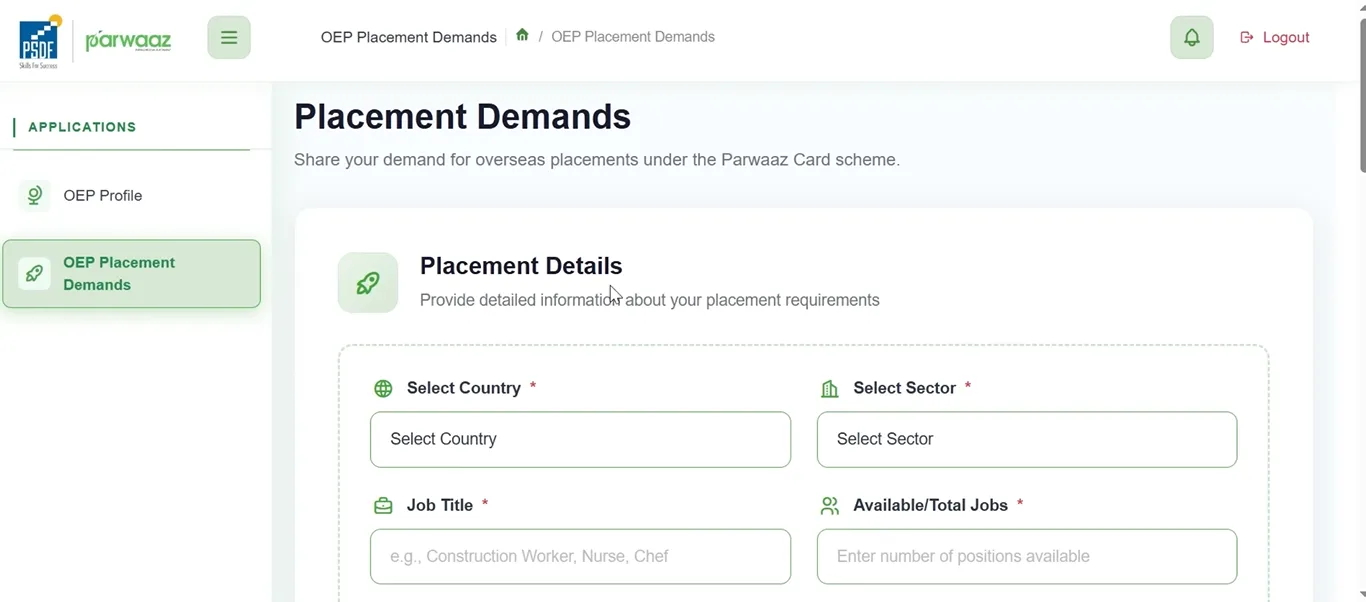
Step 07: Placement Details
- Click on the OEP Placement Demand section below the OEP profile section, and provide the placement details. You will provide detailed information about your placement requirements.
- The required information includes the country name, sector, job title, total number of jobs, salary, currency, and expiry date.
- You will also upload a Demand Evidence Document in the required format (PNG, JPG, PDF).
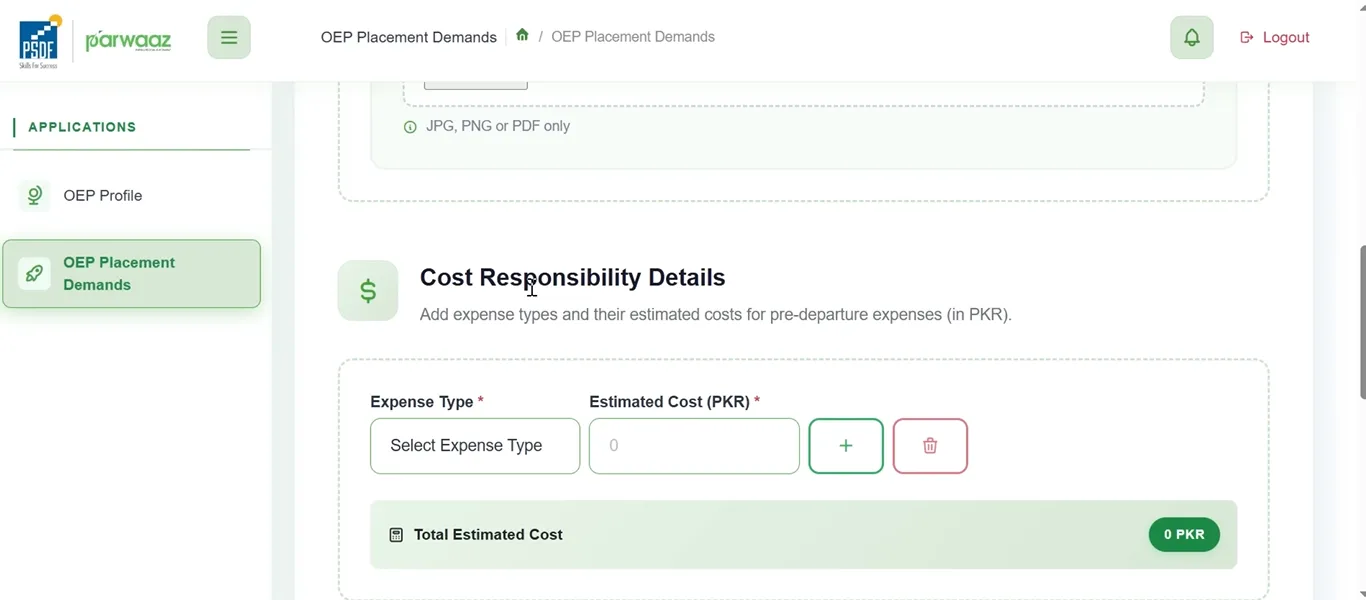
Step 08: Cost Responsibility Details
- In this section, you will provide details about expense types and their estimated costs for pre-departure expenses. It should be in Pakistani Rupees (PKR).
- Click “Submit Demand” to save the information.
Step 09: Consent & Declaration
- Navigate back to the OEP Profile and go to the section of ‘Consent and Declaration’, where terms and conditions will be given. Please read these terms and conditions carefully.
- Check the box to agree to these terms and conditions.
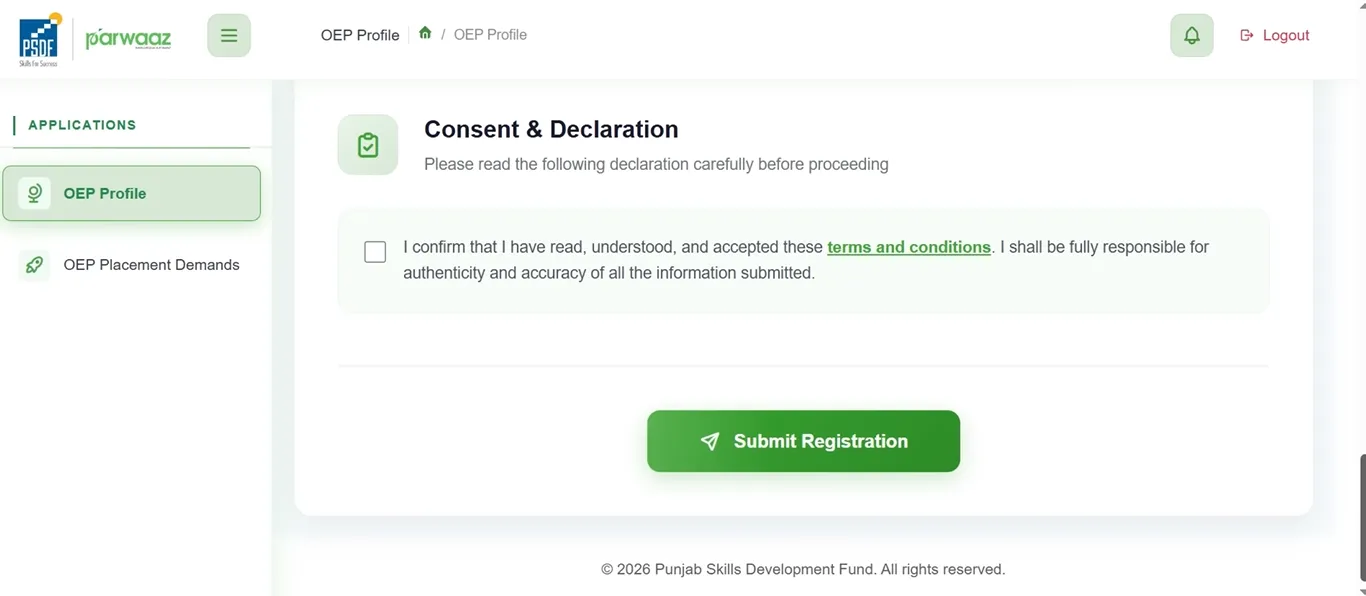
Step 10: Submit
- Navigate back to the OEP Profile section and click on the “Submit Registration” button for successful registration.
How to Check CM Punjab’s PSDF Parwaaz Card Application Status? (For OEP Applicants)
If you have applied as an Overseas Employment Promoter (OEP), you can check your application status by following the process:
Helpline Number
1786